
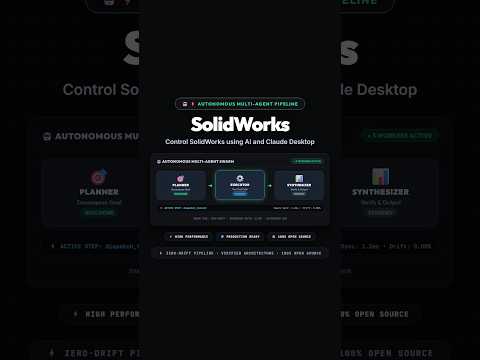
Imagine creating complex CAD models simply by chatting with an AI assistant. Thanks to recent advancements in artificial intelligence and tool integration, this is no longer science fiction. By leveraging Anthropic's Claude Desktop and a custom Model Context Protocol (MCP) server, designers can now control SolidWorks 3D using natural language prompts.
In this article, we will explore how the SolidWorks MCP Server bridges the gap between conversational AI and computer-aided design, turning textual instructions into precise parametric models.
What is the SolidWorks MCP Server?
The Model Context Protocol (MCP) is an open standard that enables AI assistants like Claude Desktop to securely interface with external tools and API-driven applications. Using the open-source GitHub repository SolidworksMCP-TS (developed by vespo92), creators can establish a seamless communication channel between Claude Desktop and SolidWorks.
Instead of manually clicking through toolbars, drawing sketches, and applying features, the AI interprets your plain English instructions and executes API commands directly within the CAD environment. This integration represents a major shift in how engineers interact with 3D design software.
What Can You Do with AI-Driven CAD?
By giving Claude Desktop control over your design session, you can automate tedious tasks and accelerate early-stage conceptual modeling. Key possibilities include:
- Automated Geometry Creation: Ask Claude to draw basic sketches, extrude profiles, or generate complex parametric shapes instantly.
- Feature Modifications: Effortlessly adjust dimensions, chamfers, or material properties through simple text commands.
- Workflow Automation: Eliminate repetitive multi-step processes, allowing the AI to handle API interactions while you focus on high-level innovation.
How to Get Started with AI-Controlled SolidWorks 3D
To begin experimenting with AI automation in SolidWorks 3D:
- Clone the Repository: Download the project files from the official
vespo92/SolidworksMCP-TSGitHub repository. - Configure Claude Desktop: Add the local MCP server entry to your Claude Desktop configuration file (
claude_desktop_config.json). - Launch and Prompt: Open SolidWorks, run the server script, and start issuing natural language commands directly to Claude Desktop!
The Future of Design Automation
Integrating intelligent AI agents into design tools is transforming engineering workflows. By combining the natural language capabilities of Claude Desktop with the robust modeling power of SolidWorks 3D, designers can draft faster, reduce manual errors, and unlock unprecedented levels of productivity.
Check out the open-source MCP project today to take your CAD automation to the next level!


