
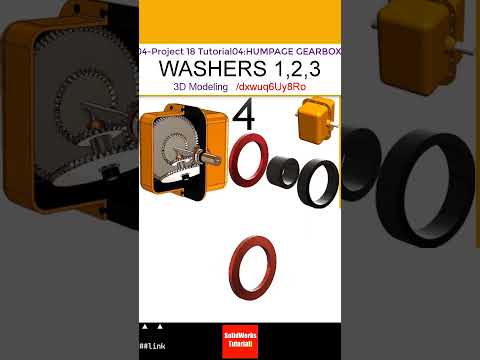
Whether you are a mechanical engineering student or a seasoned CAD designer, building complex mechanical assemblies is a great way to sharpen your skills. In this tutorial installment of the Humpage Gearbox project, we focus on modeling three fundamental small components: gear lock washers 1 and 2, and spacer washer 3. Precision in small components is critical to ensuring smooth gear alignment, load distribution, and overall operational stability.
The Importance of Precision in Gearbox Components
In complex gear assemblies like the Humpage Gearbox, every small part plays a vital role. Gear lock washers prevent fasteners from backing out under severe rotational vibrations, while spacer washers maintain exact axial positioning between interacting gears. Utilizing accurate SolidWorks 3D design methodologies allows engineers to set precise parametric dimensions and tolerances, preventing alignment issues before physical prototyping even begins.
Key Modeling Steps for Lock Washers and Spacers
To model these gearbox washers efficiently, you can utilize several core parametric modeling features:
- 2D Sketching & Constraint Setup: Define accurate inner and outer diameters along with key slot geometries using smart dimensioning to maintain fully constrained sketches.
- Extrude Boss/Base & Revolve: Effortlessly convert 2D profiles into clean 3D solid geometry according to required component thickness.
- Circular Patterning: Quickly replicate locking tabs or relief notches around the perimeter of gear lock washers to ensure precise radial symmetry.
- Fillets and Chamfers: Add subtle edge treatments to eliminate sharp stress risers and accurately mirror real-world manufacturing practices.
Mastering these basic features inside a single project helps refine your overall SolidWorks 3D design workflow, making complex assembly modeling much faster.
Take Your CAD Skills to the Next Level
Developing meticulous habits when modeling small mechanical details is what sets expert designers apart. By mastering gear lock washers and spacer washers within the context of the Humpage Gearbox assembly, you gain valuable practical experience in feature management, mechanical detailing, and drawing preparation. Integrating these technical practices into your daily SolidWorks 3D design projects ensures high-quality engineering outcomes every time.
Are you ready to enhance your mechanical modeling proficiency? Fire up SolidWorks, follow along with the dimensions, and complete your Humpage Gearbox components today!


