
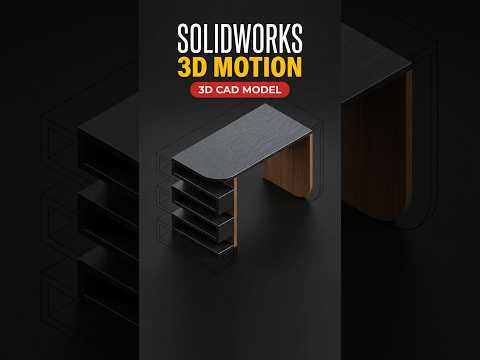
In the competitive world of CAD design, presenting a static 2D drawing is often not enough to impress clients or stakeholders. To truly showcase the intricacies of a design—such as a modern 3D table—you need to bring it to life. This is where the power of SolidWorks 3D animation comes into play, allowing you to transform a rigid model into a dynamic visual experience.
The Power of Motion Study in Furniture Design
When designing furniture, the fine details matter. By using the Motion Study tools in SolidWorks, you can create a 360-degree rotation that highlights every angle of your table model. From the wood grain texture on the tabletop to the structural integrity of the legs, a SolidWorks 3D animation provides a comprehensive view that static images simply cannot match. This technique is perfect for creating social media content, portfolio highlights, or professional project presentations.
How to Create a Smooth Rotation
Creating a professional-looking rotation is more straightforward than it looks. First, you need to ensure your 3D table model is fully constrained in the assembly environment. Once your model is ready, navigate to the "Motion Study" tab at the bottom of your screen.
Using the Animation Wizard is the fastest way to get results. By selecting the "Rotate Model" option, you can choose the axis of rotation (usually the Y-axis for furniture) and set the duration of the clip. For a smooth, cinematic feel, a 10-second loop is often the "sweet spot" for viewers to appreciate the design without it feeling rushed.
Elevating Your CAD Portfolio
As you refine your skills, you can experiment with lighting, appearances, and different camera angles. A high-quality SolidWorks 3D animation serves as a bridge between engineering and marketing. It proves that you not only understand how to build a functional product but also know how to present it in a way that captures attention.
Whether you are a student or a professional engineer, mastering these animation techniques will significantly enhance your workflow and the impact of your 3D designs. Start rotating your models today and see the difference a little movement can make!


