
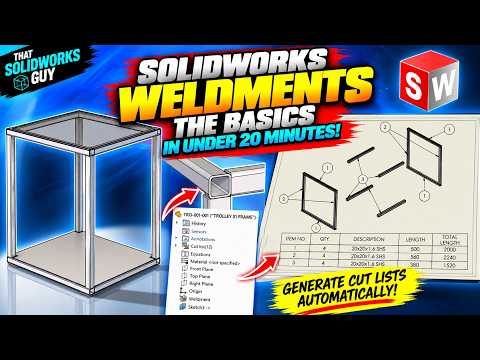
Designing structural frames, tubing networks, and metal fabrications line by line can be a tedious, time-consuming process in traditional CAD environments. Fortunately, leveraging SolidWorks 3D weldments allows engineers and designers to build complex, frame-based structures in a fraction of the time. Whether you are designing simple machine frames or intricate architectural trusses, mastering the weldment environment will dramatically boost your modeling efficiency.
Why Use SolidWorks for Structural Frames?
The weldment toolset approaches structural modeling differently than standard part modeling. Instead of creating individual parts for every beam, pipe, or angle iron and assembling them together in an assembly file, weldments allow you to define a skeleton frame using simple 2D and 3D sketches. Once your skeleton is defined, you can apply standardized structural profiles with just a few clicks.
By taking advantage of SolidWorks 3D weldments, you ensure that corner treatments, miter joints, and end caps are handled automatically, saving you from performing tedious manual trims and extends across dozens of intersecting structural components.
The Power of Automated Cut Lists
One of the greatest time-saving advantages of working with structural weldments is the automated documentation process. In traditional assembly modeling, generating a detailed bill of materials for custom-cut structural members requires significant manual input and carries a high risk of human error.
With weldments, SolidWorks automatically groups identical structural members, calculates accurate length parameters, and tracks precise cut angles. Generating an automated Cut List takes only seconds, providing your shop floor or manufacturing team with exact specifications for cutting and assembling the frame without any guesswork.
Best Practices for Weldment Efficiency
To get the most out of your weldment designs, keep these core tips in mind: - Keep Wireframes Simple: Build clean 3D sketches using strong geometric relations and smart dimensions to maintain a flexible, parametric skeleton. - Utilize Feature Groups Wisely: Group parallel or connected sketch segments together within a single weldment feature to apply seamless miter joints automatically. - Customize Profile Libraries: Expand your default library by downloading standardized steel shapes or creating custom sketch profiles tailored to your company's unique inventory.
Start Streamlining Your Design Workflow
Transitioning your structural modeling workflow to SolidWorks 3D weldments is one of the fastest ways to cut down design cycles and eliminate manufacturing errors. By combining rapid 3D sketching with dynamic profile application and automated cut lists, you can elevate your CAD productivity today.


