
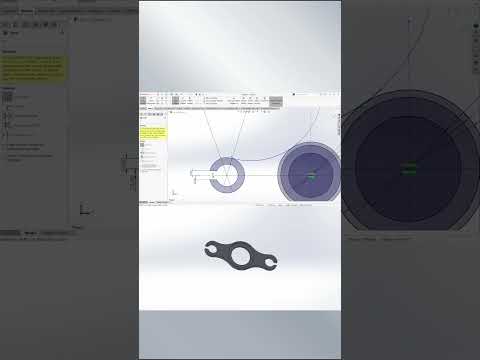
Creating accurate 2D sketches is the cornerstone of effective 3D modeling. Whether you are a beginner stepping into computer-aided design or an experienced engineer looking to speed up your workflow, mastering SolidWorks 2D CAD sketching tools can drastically improve your design productivity. In this guide, we will break down how to rapidly create mechanical parts using essential techniques like tangent arcs and mirror entities.
Key Techniques for Efficient 2D Sketching
Designing complex mechanical components does not have to be time-consuming. By leveraging the right tools within your sketching environment, you can cut design time significantly while maintaining precision geometry.
Here are the core techniques every designer should utilize:
- Baseline Geometry: Start with simple lines and construction geometry to establish the fundamental framework of your mechanical part.
- Tangent Arcs: Connect straight lines smoothly into rounded transitions. Tangent arcs ensure continuous curvature without sharp edges, which is crucial for structural integrity and aesthetics in mechanical components.
- Mirror Entities: Avoid repetitive work by designing half of a symmetrical profile and mirroring it across a central line. This feature not only saves time but also guarantees perfect symmetry across your design.
A Streamlined Workflow for Mechanical Components
To build mechanical parts efficiently in SolidWorks 2D CAD, adopt a systematic drafting workflow:
- Define the Base Profile: Outline the main shape of the component using basic line and arc tools. Focus on the rough shape first before worrying about exact dimensions.
- Apply Geometric Relations: Add horizontal, vertical, tangent, and concentric relations to lock down the design intent and maintain flexibility for future edits.
- Utilize Mirroring: Select your symmetrical sketch entities, choose a central axis, and mirror them instantly to complete the dual-sided profile.
- Dimension for Accuracy: Use smart dimensioning to lock in exact sizes, ensuring your sketch is fully defined and ready for 3D extrusion.
Boost Your CAD Efficiency Today
By combining tangent arcs with symmetry tools, you can create intricate mechanical geometry in a fraction of the time. Developing a strong foundation in SolidWorks 2D CAD sketching enables you to translate engineering concepts into precise digital models effortlessly. Practice these quick sketching methods today to accelerate your modeling speed and optimize your daily design workflow!


