
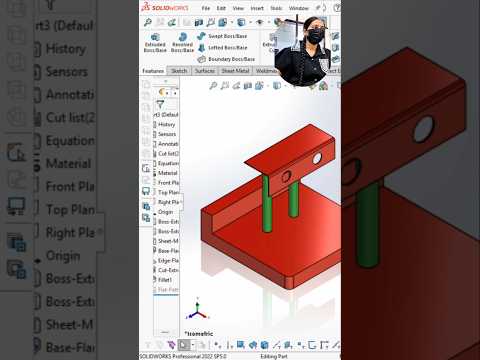
In the fast-paced world of mechanical and design engineering, mastering computer-aided design (CAD) software is an essential skill. Whether you are an engineering student preparing for your first project or a beginner looking to enhance your design toolkit, learning how to build a detailed SolidWorks 3D part is the perfect place to start. SolidWorks 2022 offers an intuitive interface and powerful features that streamline the parametric modeling process from simple sketches to complex mechanical components.
Getting Started with Parametric Modeling
Before diving into complex geometries, every design begins with a foundational 2D sketch. In SolidWorks, you begin by selecting a standard plane—Front, Top, or Right—and sketching the basic profile of your component. Utilizing smart dimensioning and geometric relations ensures your design remains fully defined and easy to modify down the line.
Once your 2D profile is complete, feature tools bring your concept to life. Transforming a flat sketch into an extruded or revolved SolidWorks 3D part allows engineers to visualize real-world physical properties, evaluate material usage, and prepare models for 3D printing or manufacturing.
Essential Design Techniques for Beginners
To build robust, professional CAD models, beginners should keep a few essential best practices in mind:
- Keep Sketches Simple: Focus on clean, straightforward sketch profiles. Complex components should be built incrementally using multiple individual features.
- Utilize Modifying Features: Apply tools like Extruded Cut, Fillet, and Chamfer after creating the main body to refine geometry and remove sharp edges.
- Maintain Design Intent: Organize your feature tree logically so that updating a single dimension does not cause errors in downstream features.
As you gain experience creating each SolidWorks 3D part, you will naturally develop better spatial reasoning and technical problem-solving capabilities, making your workflow significantly faster.
Conclusion
Consistent hands-on practice is the key to mastering 3D CAD modeling. By following structured tutorials and applying core mechanical design principles, beginners can quickly translate creative ideas into precise engineering models. Fire up SolidWorks 2022 today, start sketching, and take your engineering design skills to the next level!


