
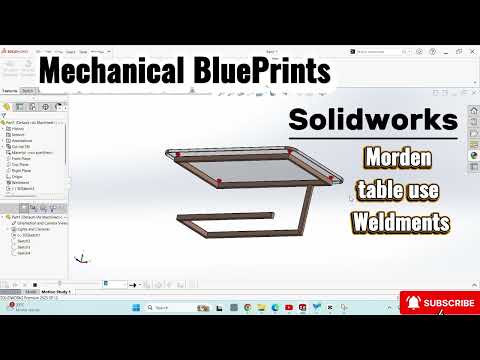
In the world of modern industrial design, the fusion of minimalist aesthetics and structural integrity is king. Whether you are a DIY enthusiast or a professional mechanical engineer, learning how to efficiently model furniture frames is a vital skill. One of the most powerful tools at your disposal for this task is SolidWorks 3D weldments.
In this guide, we will break down how to design a sleek, modern table frame using a professional workflow that ensures accuracy and manufacturability.
Why Use the Weldment Module?
When designing frames, many beginners make the mistake of creating individual parts and pinning them together in an assembly. While this works, it is time-consuming and difficult to edit. By utilizing SolidWorks 3D weldments, you can treat your entire frame as a single multibody part. This approach not only speeds up the design process but also makes it incredibly easy to generate accurate cut lists for fabrication.
Step 1: Laying the Foundation with 3D Sketching
The secret to a successful table design starts with a solid skeleton. Instead of jumping between multiple 2D planes, use the 3D Sketch feature. This allows you to define the length, width, and height of your table frame in a single environment. By using geometric constraints like "Along X" or "Along Z," you ensure that your table remains perfectly squared and parametric.
Step 2: Applying Structural Members
Once your wireframe skeleton is complete, it is time to add some mass. By selecting the "Structural Member" tool within the SolidWorks 3D weldments toolbar, you can instantly apply real-world profiles—such as square tubing, rectangular pipes, or C-channels—to your sketch lines. This step transforms your basic lines into a realistic 3D model of steel or aluminum tubing.
Step 3: Perfecting the Corners
A modern table is defined by its clean lines. SolidWorks makes this easy with the "Trim/Extend" tool. You can choose between mitered corners for a seamless look or butt joints for a more industrial feel. The software automatically calculates the necessary gaps for welding, ensuring that your mechanical blueprint is ready for the workshop.
Final Thoughts
Mastering SolidWorks 3D weldments is a game-changer for anyone looking to bridge the gap between digital design and physical fabrication. By following this streamlined workflow, you can create professional-grade furniture designs that are as functional as they are beautiful. Start your next project today and see how these powerful tools can elevate your CAD portfolio!


