
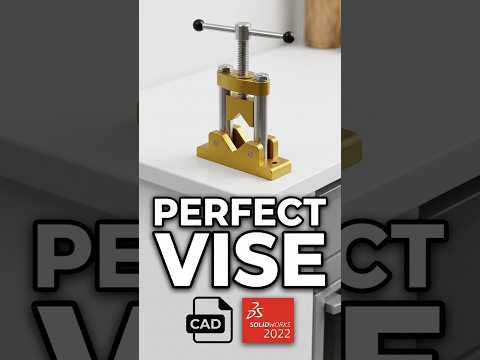
Engineering excellence is often measured by how well individual components work together to perform a mechanical task. If you are looking to sharpen your 3D modeling skills, creating a functional pipe vice is a classic and rewarding challenge. This project moves beyond simple part modeling and dives into the sophisticated world of mechanism design and motion.
The Foundation: Part Modeling
Before you can build a functional tool, you must model each component with precision. A standard pipe vice consists of several key parts: the sturdy base, the movable jaw, the threaded screw, and the handle. In this stage, attention to detail is critical—especially regarding the tolerances required for the sliding parts and the specific pitch of the threads. Using SolidWorks, you can create these individual components with the intent that they will eventually fit perfectly together.
Bringing it Together: The SolidWorks Assembly
The true power of CAD is realized when you transition from individual parts to a comprehensive SolidWorks assembly. This is where you define the relationships between your components. To create a working pipe vice, you need to apply a variety of "mates." Concentric mates ensure the screw remains centered within the base, while coincident mates keep the jaws aligned.
The most important aspect of this specific SolidWorks assembly is the mechanical screw mate. By linking the rotation of the handle to the linear progression of the jaw, you simulate real-world physics. This allows you to test the range of motion and ensure there are no interferences between the metal components before you ever head to a machine shop.
Refining the Mechanism
A high-quality design doesn't just move; it looks and feels realistic. This involves adding cosmetic or modeled threads to the screw and applying material properties to the assembly. By assigning materials like cast iron or tool steel, you can use the software to calculate the total mass and center of gravity of your tool.
Why This Project Matters
Mastering a SolidWorks assembly of this complexity is a vital skill for any aspiring mechanical engineer or product designer. It teaches you how to think about the manufacturing process and how different parts interact under mechanical stress. By the end of this tutorial, you will have a digital prototype that is ready for documentation, rendering, or even production. Whether you are a student or a professional, designing a pipe vice is a perfect way to prove your proficiency in modern CAD workflows.


