
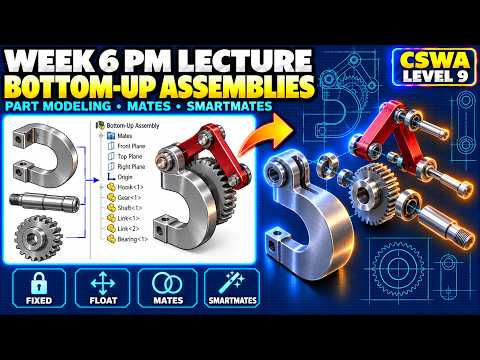
Mastering 3D CAD design requires more than just creating standalone components; it demands a deep understanding of how those parts interact within complex mechanical systems. Whether you are preparing for the Certified SOLIDWORKS Associate (CSWA) exam or aiming to refine your professional workflow, learning bottom-up assembly techniques is a vital milestone. Ultimately, converting these 3D models into a clear, accurate SolidWorks Drawing is what transforms a creative concept into a real-world manufacturing blueprint.
The Power of Bottom-Up Assembly Modeling
In bottom-up assembly modeling, individual parts are modeled independently before being brought together into the main assembly file. This approach offers incredible stability and flexibility, allowing designers to tweak standalone geometries without inadvertently breaking dependent features. Applying standard mates—such as coincident, concentric, and parallel—ensures that physical movements are realistic and fully constrained. Mastering these assembly fundamentals ensures your CAD models remain robust and easy to update.
Strengthening Design Fundamentals with Part Reviews
Before assembling components, a thorough review of base part modeling is essential. Verifying sketch constraints, feature trees, and material properties prevents costly errors later in the design process. Clean part geometry directly impacts how smoothly components align in an assembly, reducing interference issues. Furthermore, when you generate a SolidWorks Drawing from a meticulously built model, driving dimensions and annotations populate effortlessly, saving you hours of manual drafting time.
From Assembly to Production-Ready Documentation
Once your bottom-up assembly is assembled and mated correctly, the final phase of the engineering workflow is clear documentation. A professional SolidWorks Drawing allows you to showcase exploded views, insert automated Bill of Materials (BOM) tables, and add balloon callouts that convey precise assembly instructions to manufacturers.
Developing strong habits in both assembly management and drawing generation not only positions you for high scores on the CSWA exam but also ensures your designs are production-ready. Focus on your core part-building skills, practice bottom-up assemblies, and bring it all together in complete technical drawings.


