
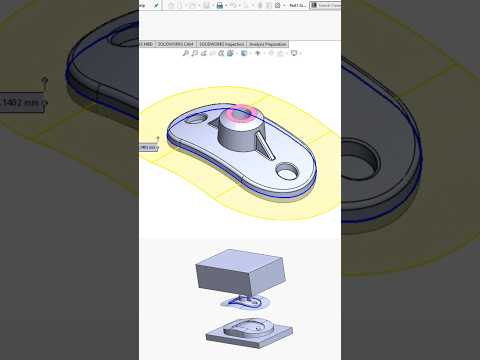
Designing complex injection molds requires precision, speed, and the right digital tools. If you have ever wanted to see a complete engineering process unfold in seconds, watching a high-speed time-lapse of SolidWorks 3D mold design offers incredible insight into how modern products transition from a 3D model into manufacturing reality.
The Core Steps of an Efficient Mold Design Workflow
A successful mold design relies on a structured, step-by-step CAD process to ensure total manufacturability. When working in SolidWorks, engineers typically follow a streamlined sequence to transform a part file into production-ready tooling:
- Draft Analysis: Before creating mold blocks, designers perform an automated draft analysis to identify steep walls, vertical faces, or undercut areas that could prevent the plastic part from ejecting smoothly.
- Scale and Shrinkage Calculation: Because plastic materials shrink as they cool, adjusting the geometry by applying precise scaling factors is a critical prerequisite.
- Parting Lines and Shut-Off Surfaces: Establishing clear parting lines defines where the mold halves split, while generating shut-off surfaces ensures tight seals that prevent material leakage (flash) during injection.
- Core and Cavity Extraction: Automatically splitting the tool block into core and cavity components forms the fundamental 3D shape required for tooling fabrication.
Why Master SolidWorks 3D Mold Design?
In modern product development, time-to-market is everything. Utilizing SolidWorks 3D mold design tools automates tedious geometric calculations, drastically reducing human error and shortening engineering cycles. What once required hours of manual drafting can now be visually validated, adjusted, and finalized seamlessly within a single unified workspace.
Whether you are an experienced CAD professional optimizing your setup or a student exploring mechanical engineering, visualizing the entire mold creation process at ultra-high speed highlights just how efficient modern SolidWorks 3D mold design workflows can be.


