
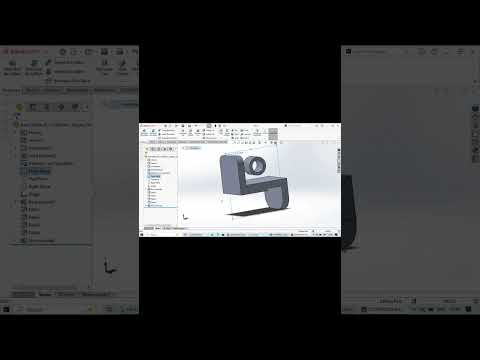
In the fast-paced world of mechanical engineering and industrial design, precision is the bridge between a concept and a functional product. For professionals and hobbyists alike, mastering the tools of the trade is essential. One of the most powerful tools available today is SolidWorks 3D CAD, a software suite that has become the industry standard for creating complex parts and assemblies with surgical accuracy.
The Importance of Consistent Practice
The journey to becoming a proficient designer isn't about memorizing every button in the software; it’s about understanding the logic of geometric constraints and spatial relationships. In my latest 3D part modeling practice, I focused on the transition from a 2D sketch to a fully realized mechanical component. This process highlights how simple shapes—circles, rectangles, and lines—evolve into intricate parts through features like extrusions, revolves, and swept bosses.
By engaging in regular practice, you develop a "design intuition" that allows you to foresee potential manufacturing issues before they even reach the production floor. Using SolidWorks 3D CAD effectively means you can iterate quickly, testing different dimensions and tolerances in a virtual environment, which saves both time and material costs.
Streamlining Your Workflow
A successful mechanical design workflow starts with a clean sketch. To optimize your modeling speed, always ensure your sketches are "Fully Defined." This prevents accidental changes later in the design process. When working on 3D part modeling, utilizing the "Rollback Bar" and naming your features in the design tree can make a significant difference when collaborating with other engineers or revisiting your own work months later.
Furthermore, leveraging the advanced simulation and visualization tools within SolidWorks 3D CAD ensures that your part isn't just a pretty 3D model, but a viable engineering solution. Whether you are designing a simple bracket or a complex engine component, the software provides the feedback necessary to refine every fillet and chamfer for maximum structural integrity.
Final Thoughts
Mechanical design is as much an art as it is a science. As you continue to explore the capabilities of 3D modeling, remember that every complex machine is simply a collection of well-designed parts. Stay curious, keep practicing your sketching techniques, and continue pushing the boundaries of what you can create. With the right mindset and a deep understanding of your CAD tools, the possibilities for innovation are endless.


