
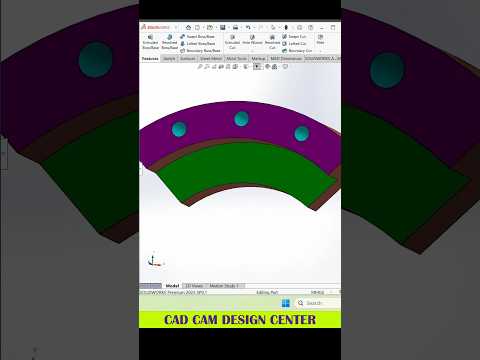
SolidWorks remains one of the most powerful tools in the world of engineering and digital design. Whether you are an aspiring engineer or a seasoned professional, refining your workflow is key to staying competitive. In this article, we dive into essential tips and techniques featured in our latest SolidWorks 3D tutorial to help you streamline your design process and create flawless models.
The Importance of a Solid Foundation
Every great 3D model starts with a precise 2D sketch. One of the biggest mistakes beginners make is overcomplicating the initial drawing. To maintain a clean workflow, always aim for "Fully Defined" sketches. This ensures that your model remains stable even when you make changes later in the design cycle. By mastering the relationship between constraints and dimensions, you set the stage for a professional-grade output.
Streamlining Your Workflow with Pro Tips
Efficiency is what separates an amateur from an expert. To speed up your modeling, utilize shortcut keys and the "S" key shortcut toolbar. This allows you to access your most-used tools without navigating through endless menus. During this SolidWorks 3D tutorial, we emphasize the importance of the Feature Manager design tree. Keeping your features organized and renamed appropriately makes it significantly easier for colleagues to understand your design logic.
Advanced Modeling Techniques
Once you have the basics down, it is time to explore more complex features like "Swept Boss/Base" and "Lofted Boss/Base." These tools are essential for creating organic shapes and complex automotive parts. Additionally, don't overlook the power of the "Mirror" and "Pattern" tools. Instead of creating every hole or flange manually, use patterns to save time and ensure perfect symmetry across your entire assembly.
Enhancing Visual Appeal
While functionality is priority number one, presentation matters. Applying the right materials and appearances can turn a basic grey block into a realistic prototype. Use the integrated rendering tools to visualize how light interacts with your surfaces, providing a more professional finish to your portfolio or client presentation.
By following a structured SolidWorks 3D tutorial, you can significantly reduce your design time while increasing the accuracy of your models. Keep practicing these tips, stay curious about new features, and watch your 3D modeling skills reach new heights.


