
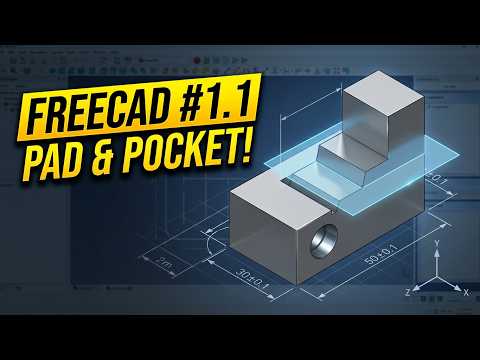
Transitioning between 3D modeling platforms is one of the best ways to sharpen your parametric CAD skills. Whether you are a student, hobbyist, or professional designer, learning how to take standard engineering exercises designed for a SolidWorks Part and build them in open-source software like FreeCAD can significantly boost your technical versatility. In this guide, we break down the core workflow of transforming 2D concept sketches into precise 3D objects using fundamental features like Datum Planes, Pads, and Pockets.
Core Commands for Parametric Design
To accurately model any component, you must understand how essential features translate between different CAD platforms. When recreating a model in FreeCAD:
- Pad Tool (Extrusion): Comparable to the Extruded Boss/Base command, the Pad tool converts your 2D sketch into a solid 3D base feature by adding material.
- Pocket Tool (Cutout): Functioning similarly to the Extruded Cut feature, this command removes material from a solid body based on a constrained 2D sketch profile.
- Datum Plane (Reference Geometry): When you need to create features on angled or offset surfaces, a Datum Plane establishes a custom reference surface anywhere in 3D space.
Building the Model Step-by-Step
The modeling process begins in FreeCAD's Part Design Workbench. First, create a new sketch on the primary origin plane and apply geometrical constraints to define your dimensions accurately. Once the sketch is fully constrained, use the Pad feature to generate the main body.
Next, when your geometry requires custom features on non-standard angles or offset positions, insert a Datum Plane. By referencing existing edges or vertices, you can sketch new profiles directly on this auxiliary plane. Finally, execute the Pocket tool to slice through the solid body and achieve the desired shape. Replicating a structured SolidWorks Part using these foundational commands helps build a strong discipline in managing parametric feature trees.
Conclusion
You do not need high-end commercial licenses to master professional 3D modeling techniques. By utilizing powerful, open-source software like FreeCAD, you can effortlessly take standard SolidWorks Part drawings and bring them to life. Apply these techniques to your next project to build confidence in reference geometry, extrusions, and material subtraction!


