
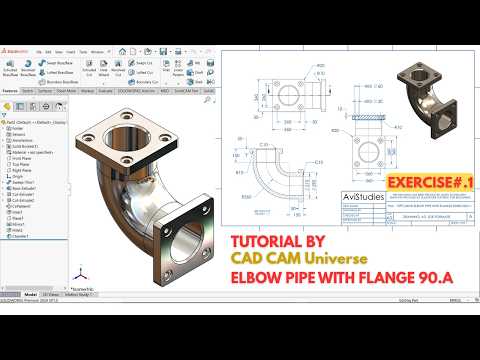
Are you looking to sharpen your CAD modeling skills with practical engineering exercises? Industrial piping components are fundamental in plant layout and mechanical engineering, making them a fantastic starting point for learners. In this step-by-step tutorial, we will walk you through creating a detailed 90-degree elbow pipe with integrated flanges—an essential exercise to elevate your overall SolidWorks 3D design capabilities.
Step 1: Create the Swept Path and Pipe Profile
To begin, open a new Part document and select your preferred unit system (e.g., MMGS). Start a sketch on the Front Plane and draw a 90-degree arc to establish the sweep path for the elbow. Be sure to use the Smart Dimension tool to set the exact bend radius.
Next, create a plane perpendicular to the path’s endpoint or select the end face. Sketch two concentric circles representing the inner and outer diameters of the pipe. Select the Swept Boss/Base feature, setting the circular sketch as your profile and the 90-degree arc as your trajectory path.
Step 2: Model the Connecting Flanges
Once the main curved pipe is generated, click on one of the flat end faces to sketch the flange plate.
- Draw a circle concentric with the pipe end and extrude it using Extruded Boss/Base.
- On the face of the new flange, sketch a single bolt hole circle at the designated pitch circle diameter (PCD).
- Use Extruded Cut to pierce the hole through the flange.
- Utilize the Circular Pattern feature to evenly distribute the remaining bolt holes around the flange face.
- Repeat these steps on the opposite end of the elbow pipe.
Step 3: Apply Shelling and Finishing Touches
If you created a solid elbow during the sweep stage, apply the Shell tool to hollow out the internal path with a uniform wall thickness. To finalize the design, add minor fillets along the transition edges where the flanges meet the pipe body. This not only improves structural integrity in real-world manufacturing but also gives your render a polished, professional finish.
Conclusion
Building mechanical components like flanged elbows helps solidify your understanding of essential features such as sweeps, extrusions, and circular patterns. Mastering these fundamental techniques will greatly increase your efficiency and confidence in SolidWorks 3D design. Practice this exercise today to enhance your 3D modeling repertoire!


