
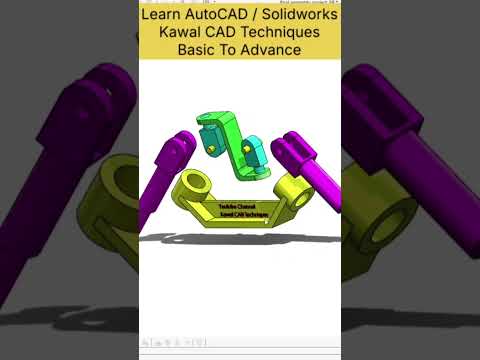
Mechanical engineering designs often rely on flexible coupling mechanisms to transfer power across shafts that are not aligned in a straight line. One of the most classic and widely used examples of this is the universal joint, also known as a U-joint or Cardan joint. Designing and animating these mechanisms provides valuable insights into mechanical motion, interference, and dynamic assembly behavior.
Using advanced engineering software like SolidWorks 3D CAD, designers can easily build detailed components, evaluate structural fit, and showcase mechanical interactions through dynamic visual representations.
The Power of Exploded Views in Assembly Design
An exploded view is an essential tool in mechanical engineering documentation. It breaks down a complex assembly into its individual components, clearly displaying how each part fits together. For a universal joint—which consists of yokes, cross trunnions, bearings, and fasteners—an exploded view reveals internal geometry and precise assembly sequences.
By leveraging SolidWorks 3D CAD, creators can define customized exploded steps and trailing lines. This not only aids in technical illustrations and assembly instruction manuals, but also helps designers spot potential design flaws early in the product development lifecycle.
Simulating Motion with Assembly Animations
While static 3D models are useful, seeing components move brings engineering concepts to life. Universal joints operate on specific angular relationships, transferring rotational motion even when driving and driven shafts are inclined to each other.
Through built-in motion simulation tools, designers can animate realistic mechanical movements to ensure smooth operation, check for geometric clearance, and verify tolerances. Applying distinct colors to individual components further enhances visual clarity, making it simple to demonstrate how torque is transmitted across the entire mechanism.
Conclusion
Whether you are an engineering student learning core mechanical principles or a professional showcase author, mastering SolidWorks 3D CAD is an incredible asset. Visualizing complex mechanical assemblies through clear exploded views and motion animations ensures better design accuracy, smoother manufacturing workflows, and impactful visual communication.


