
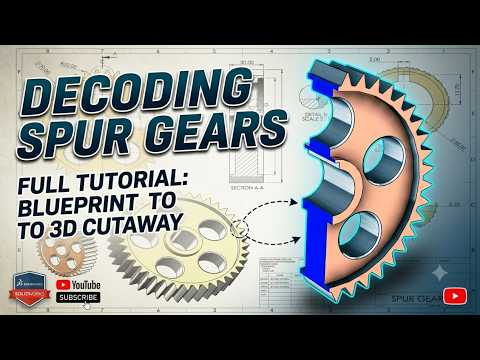
Understanding the intricate mechanics of spur gears is a fundamental skill for any mechanical engineer or CAD designer. While it is tempting to jump straight into 3D modeling, the secret to a high-quality, functional design lies in the preparation of a precise SolidWorks Drawing. In this guide, we break down the core components of gear geometry and blueprint reading to help you master the basics of gear design.
The Importance of Blueprint Reading
Before you open your CAD software, you must understand the language of the blueprint. Blueprint reading for spur gears involves identifying key parameters such as the number of teeth, the module, and the pressure angle. These values are not just numbers; they dictate how the gear will perform in a real-world assembly. By accurately interpreting these specifications, you ensure that your subsequent SolidWorks Drawing remains technically sound and ready for manufacturing.
Mastering Gear Geometry and Mesh Basics
Spur gears operate on simple yet strict geometric principles. The most critical aspect to grasp is the relationship between the pitch circle, the base circle, and the involute profile of the teeth.
- Pitch Circle: The theoretical circle where the gears actually mesh.
- Pressure Angle: Usually 14.5 or 20 degrees, this determines the direction of the force between mating teeth.
- Mesh Basics: Proper meshing requires gears to have the same module and pressure angle to avoid interference and ensure smooth power transmission.
Understanding these factors allows you to troubleshoot design flaws early in the process. When these geometric details are correctly calculated, the resulting SolidWorks Drawing will provide a clear, error-free roadmap for the production team.
From Theory to SolidWorks
The transition from theoretical geometry to a digital environment requires attention to detail. In SolidWorks, creating a gear isn't just about drawing circles; it is about defining the relationships between those circles using equations and global variables. By integrating your geometric knowledge directly into your workflow, you create a robust model that can be easily updated or modified.
In conclusion, decoding spur gears is the first step toward becoming a proficient designer. Whether you are a student or a professional, focusing on the fundamentals of gear geometry ensures that every SolidWorks Drawing you produce is accurate, efficient, and professional. Stay tuned for Part 2, where we will dive deeper into the advanced modeling techniques!


