
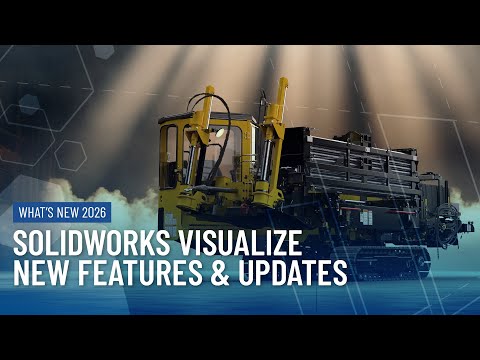
With the release of SOLIDWORKS 2026, the landscape of photorealistic visualization has undergone a significant transformation. For years, designers relied on legacy tools like PhotoView 360 to bring their concepts to life, but the latest update proves there is a vibrant, more powerful life after the old workflows. By fully embracing SOLIDWORKS Visualize and its newly integrated features, users can now achieve professional results faster than ever before.
A Seamless Transition to Modern Rendering
The shift in SOLIDWORKS 2026 focuses heavily on integration and efficiency. If you have been looking for ways to improve the quality of your output, the new rendering engine provides a more intuitive path. The update solidifies the platform's commitment to high-end visualization by allowing designers to create a stunning SolidWorks 3D render without the friction of traditional export-import processes. This means that as you iterate on your geometry, your rendering environment stays in perfect sync, reducing downtime and maximizing creativity.
Streamlined Workflows and Enhanced Realism
One of the standout features of the 2026 release is the refinement of material accuracy and lighting controls. The newly-integrated workflows allow for real-time feedback, which is essential when trying to capture the perfect reflection or shadow. Whether you are preparing marketing collateral or a high-stakes stakeholder presentation, the ability to produce a lifelike SolidWorks 3D render is now more accessible to engineers and artists alike.
The software takes full advantage of modern GPU acceleration, ensuring that the "what you see is what you get" philosophy applies to every pixel. This power allows for more complex scenes and higher resolution outputs without the long wait times associated with older rendering engines.
Communicating Design Intent
Ultimately, the goal of these updates is to bridge the gap between technical engineering and visual storytelling. SOLIDWORKS 2026 isn't just about "pretty pictures"; it is about communicating design intent with absolute clarity. By utilizing the advanced tools available for your next SolidWorks 3D render, you can ensure that every detail—from the texture of a plastic casing to the brushed finish of a steel component—is represented exactly as it will appear in the physical world.
As the industry moves away from PhotoView 360, SOLIDWORKS 2026 stands as a powerful testament to the future of CAD visualization. Embracing these new features today will not only enhance your current projects but will also future-proof your design process for years to come.


