
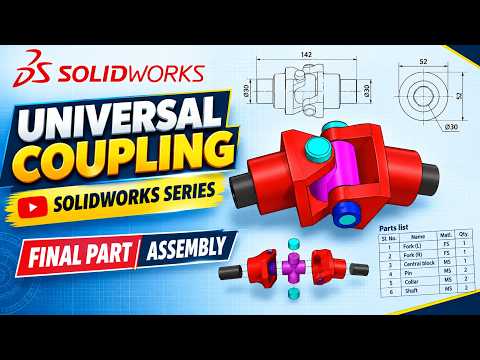
The Universal Coupling is a cornerstone of mechanical engineering, providing a vital connection between two rotating shafts that are not parallel. In the world of Computer-Aided Design (CAD), mastering the assembly of this mechanism is a rite of passage for any aspiring designer. In this guide, we will walk through the final stages of bringing your components together to create a functional, high-quality model.
Preparing Your Components for Assembly
Before diving into the assembly environment, it is essential to ensure that every individual component is modeled accurately. A standard universal coupling consists of several key elements: two forks, a center block (or spider), pins, and collars. When you are developing a complex SolidWorks 3D part, the precision of your initial sketches determines how smoothly the final assembly will operate. Ensure that all dimensions are checked against your technical drawings to avoid interference issues later on.
The Power of Mates in SolidWorks
The magic of CAD happens in the assembly tab. To begin, you must fix your primary component—usually the driving fork—to provide a stable base. From there, you will use the "Mate" tool to define the relationships between your components.
For a universal coupling, you will primarily use Concentric and Coincident mates. Each SolidWorks 3D part within the assembly must be positioned to allow for the specific rotational degrees of freedom required by the joint. By aligning the holes of the forks with the center block and inserting the pins, you create a chain of motion that mimics real-world mechanical behavior.
Finalizing the Motion and Visualization
Once all parts are mated, it is time to test the range of motion. SolidWorks allows you to simulate the rotation to ensure there is no "clashing" between the forks and the block. This is the stage where you can apply materials—such as polished steel or chrome—to give your model a professional finish.
Creating a comprehensive SolidWorks 3D part project like this not only improves your software proficiency but also deepens your understanding of mechanical linkages. Whether you are a student or a professional engineer, perfecting the assembly of a universal coupling is a fantastic way to showcase your attention to detail and technical skill. By following these structured steps, you can transform a collection of individual files into a sophisticated, working mechanical system.


