
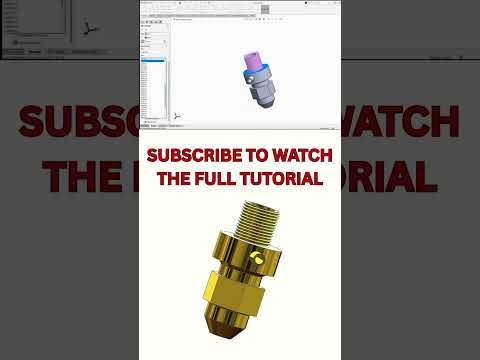
Designing complex industrial components requires precision, efficiency, and a solid understanding of 3D modeling software. Among various CAD challenges, modeling fluid dynamics equipment like spray nozzles stands out as a crucial skill for mechanical engineers and product designers. In this guide, we will break down the essential steps to create a functional spray nozzle model using SolidWorks.
Understanding Nozzle Geometry
Spray nozzles require careful attention to internal geometry to ensure proper fluid flow, pressure distribution, and spray patterns. Before diving into 3D modeling, it is essential to map out the key dimensions, including the inlet diameter, orifice size, internal convergence angles, and external threads.
Key Steps for Spray Nozzle Design
To achieve an accurate 3D model, follow this streamlined approach:
- Create the Base 2D Sketch: Start by sketching half of the nozzle's outer profile on the Front Plane, referencing a center construction line. Be sure to fully define your dimensions, including critical wall thicknesses and flow angles.
- Apply the Revolve Boss/Base Feature: Use the center construction line as the axis of revolution to instantly transform your 2D sketch into a solid 3D body.
- Design Internal Flow Passages: Utilize features like Cut Revolve or Swept Cut to carve out precise internal channels and swirl chambers required for optimal liquid atomization.
- Add Threads and External Details: Incorporate standard male or female threads onto the connection end using the Thread Tool, and add hex flats for wrench grip using simple Extruded Cut operations.
- Apply Fillets and Shelling: Smooth out sharp internal corners with fillets to reduce fluid resistance and stress concentration.
Optimize Your Design Workflow
One major advantage of using SolidWorks is its fully parametric environment. By maintaining clean sketch relations and global variables, you can quickly adjust spray angles or nozzle exit diameters without rebuilding the entire model from scratch.
Whether you are building custom agricultural sprayers, fuel injectors, or cleaning nozzles, following a structured design method ensures your CAD models are both accurate and production-ready. Watch our quick video tutorial to see these techniques in action and take your mechanical design skills to the next level!


