
Introduction to 3D Modeling in SolidWorks
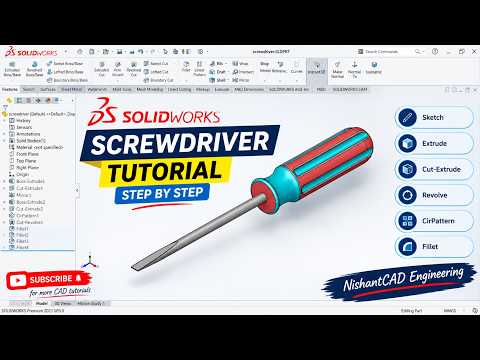
Creating realistic mechanical components is one of the most rewarding aspects of learning CAD software. Whether you are a student or a hobbyist, mastering the fundamentals of part design is essential for your engineering journey. In this guide, inspired by the latest tutorial from NishantCAD Engineering, we will explore how to design a professional-grade screwdriver from scratch.
Why the Screwdriver is the Perfect Beginner Project
The screwdriver might seem like a simple tool, but it incorporates several critical design principles: revolution, fillets, and complex handle ergonomics. By following this step-by-step process, you will learn how to transition from a 2D drawing to a fully realized 3D component. One of the most powerful tools you will encounter during advanced modeling is the SolidWorks 3D sketch, which allows you to define paths and geometries across multiple planes simultaneously.
Step-by-Step Design Breakdown
To begin, we start with the handle. The handle requires a comfort-grip design, often achieved using the Revolve Boss/Base feature. By sketching half of the profile on a vertical plane and revolving it around a center axis, you create a solid, ergonomic shape.
Next, we move to the shank and the tip. While simple extrusions work for basic rods, specialized tools or custom orientations often require a deeper understanding of spatial geometry. Utilizing a SolidWorks 3D sketch can help you define the exact path of the tool's edges or create reference lines for complex surface cuts that a standard 2D sketch cannot easily capture.
Refining Your Model with Details
Once the primary structure is in place, it is time for the finishing touches. Adding fillets to the handle ensures a smooth, realistic look, while chamfers at the tip give the screwdriver its functional edge. Don't forget to apply materials like "Polished Steel" for the shank and "High Gloss Plastic" for the handle to make your render pop.
Conclusion
Building a screwdriver is an excellent way to familiarize yourself with the software's interface and basic features. As you progress to more intricate designs, mastering the SolidWorks 3D sketch will be the key to unlocking complex wireframes and advanced sweep paths.
Practice is the only way to become proficient in CAD. Keep experimenting with different dimensions and tool types to refine your skills and build a robust portfolio of 3D models!


