
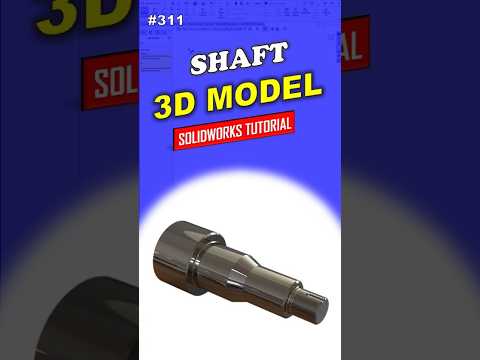
3D modeling is a cornerstone of modern engineering, and mastering the right tools is the first step toward a successful career in mechanical design. Whether you are an aspiring engineer, a student, or a DIY enthusiast, learning how to create precise industrial components like the 311 Shaft is an essential skill. In this guide, we will explore how to leverage SolidWorks to build high-quality models using a professional, streamlined workflow.
Why Start with Shaft Modeling?
Shafts are fundamental components found in almost every mechanical system, from simple motors to complex automotive transmissions. They are primarily used to transmit power and support rotating parts. Designing a 311 Shaft serves as an excellent practice project because it introduces beginners to core CAD concepts such as symmetry, rotational features, and precise dimensioning. By using SolidWorks, you gain access to a robust set of tools that make these geometric tasks both intuitive and highly accurate.
The Professional Modeling Workflow
Creating a professional-grade model requires more than just drawing shapes; it requires a strategic approach to ensure the part is functional and easy to edit. To create a 311 Shaft, the process generally follows these steps:
- The Initial Sketch: Start by sketching a half-profile of the shaft on the front or right plane. It is crucial to use constraints and dimensions to ensure the sketch is "Fully Defined."
- The Revolve Feature: Instead of extruding multiple circles, professional designers use the "Revolved Boss/Base" tool. This allows you to turn a 2D profile into a 3D cylindrical object in a single click.
- Adding Technical Details: Once the main body is created, you can add essential features like keyways, chamfers for easy assembly, and fillets to reduce stress concentrations.
Why SolidWorks is the Industry Standard
The reason SolidWorks remains the preferred choice for professionals worldwide is its parametric modeling capability. This means that every dimension is linked. If you decide later that the shaft needs to be longer or the diameter needs to change, you can simply modify the initial sketch, and the entire 3D model will update automatically. This flexibility is vital in real-world engineering where design iterations are frequent.
Final Thoughts for Beginners
Building a 311 Shaft is the perfect project to kickstart your journey into the world of computer-aided design. By focusing on a "step-by-step" professional approach, you avoid common pitfalls and build a solid foundation for more complex assemblies. With consistent practice, you will find that creating intricate parts becomes second nature, allowing you to bring your technical visions to life with ease.


