
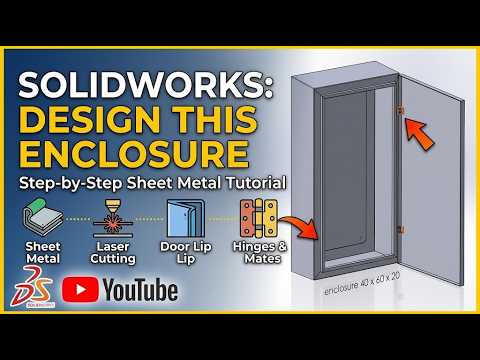
Designing custom electrical enclosures and panel boxes requires high precision, structural integrity, and manufacturing feasibility. Whether you are creating a simple junction box or a complex industrial control panel, mastering SolidWorks 3D sheet metal design is a vital skill for modern CAD designers and mechanical engineers.
In this step-by-step CAD tutorial guide, we break down how to design a custom sheet metal electrical enclosure from scratch, taking you from an initial 2D sketch to a production-ready model.
Why Use SolidWorks for Enclosure Design?
SolidWorks offers a dedicated suite of specialized tools tailored specifically for sheet metal fabrication. Using SolidWorks 3D sheet metal features allows you to model real-world bends, flanges, and cutouts while automatically calculating K-factors and bend allowances. This seamless workflow ensures that your 3D digital model translates perfectly into laser-cut patterns and press brake operations.
Key Steps to Build a Panel Box
- Create the Base Flange: Start by sketching the primary profile of your enclosure body. Apply the Base Flange/Tab feature to set your material thickness, bend radius, and sheet metal gauge parameters.
- Form the Structure with Edge Flanges: Utilize the Edge Flange tool to pull up side walls and create door lips. Be sure to configure proper mitered corners and relief cuts to prevent material overlapping during fabrication.
- Design the Door and Hem Flanges: Model the front door panel and incorporate hem flanges along the outer edges to add structural stiffness and eliminate sharp edges.
- Add Cutouts and Ventilation: Electrical components require cable pass-throughs and heat dissipation. Add mounting holes, knockouts, and vent louvers using extruded cutouts and forming tools.
- Flatten and Export for Manufacturing: Use the Flatten command to review the unbent sheet metal design. You can easily export this flat pattern to DXF or DWG format for CNC laser or plasma cutting.
Tips for Accurate Sheet Metal Modeling
To ensure flawless production when working with SolidWorks 3D sheet metal, always double-check corner clearances and bend radiuses against your manufacturer’s tooling specs. Additionally, incorporate hardware components like PEM fasteners, hinges, and key locks early in the modeling process to prevent interference issues.
Final Thoughts
Creating custom panel boxes in SolidWorks is straightforward once you master the essential sheet metal workflows. By utilizing these powerful tools, you can optimize your design time, cut down on physical prototyping, and produce shop-ready CAD models with confidence.


