
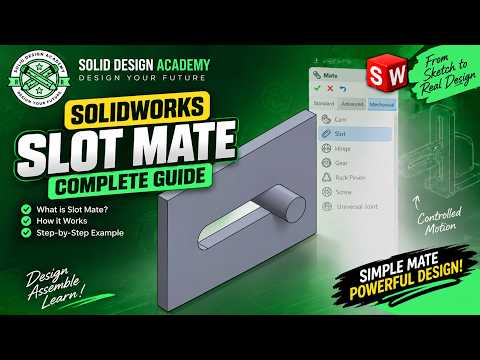
Designing complex mechanical assemblies requires precise motion constraints to ensure components interact realistically. In SolidWorks, mechanical mates play a crucial role in mimicking real-world behavior. Among these, the Slot Mate feature is an essential tool for engineers and 3D CAD designers who need to constrain pins, bolts, or rollers within a slot.
What is the Slot Mate in SolidWorks?
The Slot Mate is a specialized mechanical mate that allows you to link a cylindrical surface or bolt to a straight or curved slot. Instead of manually applying multiple standard mates to keep a component constrained within a boundary, the Slot Mate streamlines this process into a single, intuitive feature.
Step-by-Step: How to Set Up a Slot Mate
Setting up a slot constraint is straightforward once you know where to look. Follow these simple steps:
- Open the Mate Tool: In your assembly environment, click on the Mate icon located in the Assembly toolbar.
- Locate Mechanical Mates: Scroll down in the PropertyManager, expand the Mechanical Mates section, and select Slot.
- Select Your Entities: Click on the inside surfaces (or center axis) of the slot and the cylindrical face of the pin or bolt.
- Define the Constraint Option: Choose how you want the pin to move along the slot:
- Free: Allows the pin to slide freely along the full length of the slot.
- Center in Slot: Locks the pin directly in the middle of the slot.
- Distance / Percentage: Positions the pin at a specified distance or percentage from one end of the slot.
- Confirm and Test: Click the green checkmark to apply the mate, then click and drag the component to test its realistic sliding motion.
Why Use Mechanical Slot Mates?
Using dedicated slot constraints saves design time and eliminates redundant mates that can slow down assembly performance. Whether you are creating sliding mechanisms, linkage systems, or adjustable brackets, mastering this tool ensures your SolidWorks assemblies perform accurately during motion analysis and dynamic testing.
Start implementing Slot Mates in your daily CAD workflow to make your mechanical designs smarter, faster, and more dynamic!


