
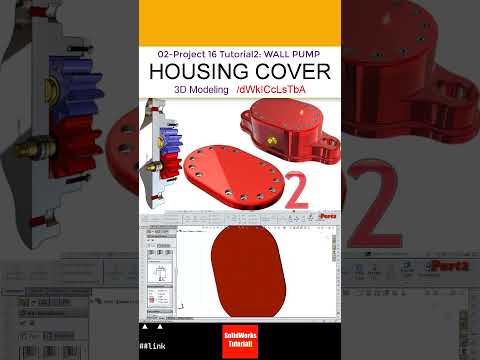
In the world of mechanical engineering and industrial design, precision is the cornerstone of a functional product. Whether you are a student or a professional engineer, mastering the art of component design is essential. In this installment of Project 16, we dive deep into the technical process of designing a Housing Cover for a Wall Gear Pump, providing a comprehensive look at how a high-quality SW model is constructed from scratch.
The Role of the Housing Cover in Gear Pumps
The housing cover is more than just a lid; it is a critical structural component that ensures the internal gears are perfectly aligned and pressurized. In our latest tutorial, we focus on the geometric accuracy required to make this part functional. By developing a detailed SW model, designers can simulate real-world stresses and ensure that the bolt patterns match the main pump body perfectly. This stage of the project highlights the importance of parametric modeling in preventing costly errors during the manufacturing phase.
Step-by-Step Design Workflow
Creating this component involves several key SolidWorks features. The process begins with a primary sketch based on the pump’s specifications, followed by the use of Extruded Boss/Base features to create the main volume.
Key steps covered in the tutorial include: * Base Geometry: Establishing the outer dimensions and thickness of the cover. * Hole Wizard Mastery: Using the Hole Wizard to create precise mounting points for fasteners. * Fillets and Chamfers: Adding finishing touches that reduce stress concentrations and improve the aesthetic of the final part.
When you refine your SW model, you aren't just making a picture; you are creating a digital twin that holds all the necessary data for CAM (Computer-Aided Manufacturing) and CNC machining.
Why Quality CAD Data Matters
High-quality CAD drawings serve as the bridge between concept and reality. By following this Project 16 tutorial, you will learn how to organize your feature manager tree and use constraints effectively. This ensures that if the dimensions of the gear pump change, your cover plate will update automatically, saving hours of rework.
Whether you are looking to improve your portfolio or sharpen your professional skills, mastering the housing cover is a vital step in understanding complex assembly design. Stay tuned for the next part of our series as we continue to build out the full Wall Gear Pump assembly!


