
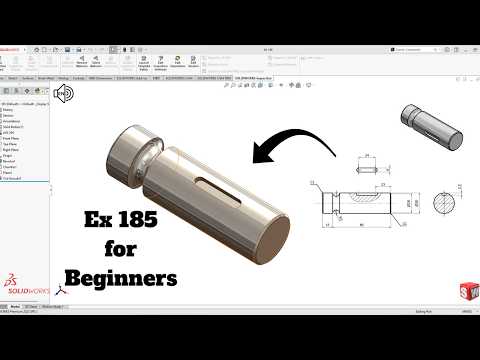
Are you new to 3D computer-aided design (CAD) and looking for a practical way to sharpen your skills? Tackling hands-on modeling exercises is one of the most effective ways to build confidence and master essential software features. In this beginner-friendly guide based on Exercise 185, we walk through the process of creating a clean, structured 3D part step-by-step using SolidWorks.
Why Practice Exercises Matter for Beginners
When starting out in CAD design, theoretical knowledge can only take you so far. Completing guided modeling challenges helps you transition from understanding basic tools to applying them in practical design scenarios. By working through structured exercises, you learn how to read technical drawings, plan your feature hierarchy logically, and troubleshoot common sketching errors efficiently.
Key Concepts Covered in Exercise 185
Exercise 185 focuses on foundational techniques that every aspiring mechanical designer needs to master. Here is a quick breakdown of what this exercise helps you practice:
- 2D Sketching & Smart Dimensioning: Drafting accurate base profiles using basic lines, circles, and geometric relations.
- Base Feature Creation: Utilizing boss extrusions to transform flat 2D sketches into solid 3D geometry.
- Material Removal: Applying extruded cuts to add holes, slots, and precise interior details.
- Model Refinement: Applying fillets or chamfers to give the final part a polished, professional finish.
Step-by-Step Workflow Overview
- Analyze the Blueprint: Start by reviewing the dimensions and determining the best reference plane (Front, Top, or Right) to begin your initial sketch.
- Draft the Primary Sketch: Draw the main profile on your selected plane and fully define it with dimensions and constraints.
- Extrude the Base: Convert the primary profile into a solid body with the specified thickness.
- Add Secondary Features: Create additional sketches on existing faces to perform cut-extrude operations or add supporting structures.
- Final Review: Ensure all sketches in your feature tree are fully defined to maintain strong design intent.
Tips for Accelerating Your CAD Skills
To get the most out of your practice in SolidWorks, focus on consistency rather than speed. Prioritize clean, fully defined sketches over rushing to complete the model. Over time, practicing straightforward parts like Exercise 185 will build a strong foundation, making complex assemblies and advanced surface modeling feel much more manageable.
Ready to test your skills? Fire up SolidWorks, follow along with the blueprint, and take another step forward on your 3D modeling journey!


