
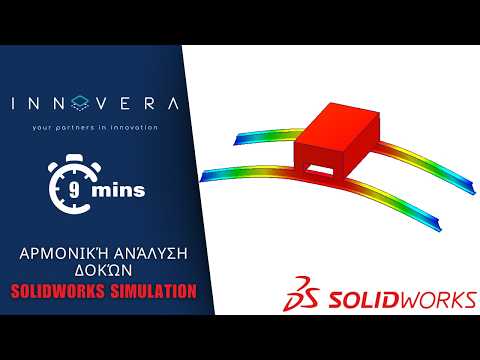
Understanding how structural elements respond to continuous dynamic loads is a critical aspect of modern mechanical and structural engineering. When beams and structural frameworks are subjected to cyclic or repetitive forces, evaluating their dynamic response becomes essential to prevent catastrophic failure caused by resonance. This is where performing a harmonic analysis in SolidWorks Simulation provides immense value to design engineers.
What is Harmonic Analysis?
Harmonic analysis is a dynamic frequency-domain study used to calculate the steady-state peak response of a structure subjected to loads that vary harmonically (sinusoidally) over time. Unlike standard static linear analysis, which assumes loads are applied slowly and remain constant, harmonic analysis accounts for operational frequencies, dynamic excitation, phase angles, and damping effects.
Step-by-Step Approach for Beam Analysis
Analyzing structural beams requires a streamlined workflow to ensure accurate dynamic predictions without overloading computational resources:
- Model Preparation: Convert complex 3D CAD geometries into beam elements. This simplification dramatically speeds up computation while accurately representing structural behavior.
- Material & Boundary Conditions: Assign accurate material properties—including mass density and elastic modulus—and set realistic boundary conditions like fixed, pinned, or sliding supports.
- Dynamic Load Application: Apply sinusoidal forces, moments, or base excitations, specifying both their magnitude and frequency range.
- Post-Processing: Run the study inside SolidWorks to generate frequency response graphs, dynamic displacement plots, and stress distribution maps across the critical operating frequency spectrum.
Why Use Harmonic Simulation in Structural Design?
By identifying dynamic response peaks and potential resonant frequencies long before physical prototyping, engineering teams can make informed design adjustments. Designers can optimize beam cross-sections, relocate structural supports, or introduce damping materials where needed most.
Utilizing these simulation capabilities within the SolidWorks ecosystem ensures higher product reliability, minimized operational vibration, and significantly reduced development costs. Whether you are designing machine bases, industrial frameworks, or vehicle chassis, mastering dynamic harmonic analysis is a powerful step toward superior engineering design.


