
Welcome to the exciting world of Computer-Aided Design (CAD)! If you are a student, hobbyist, or aspiring engineer, learning how to navigate professional software is the first step toward bringing your creative ideas to life. On the "CAD With Francis" channel, the focus is on breaking down complex engineering concepts into simple, practical, and easy-to-follow steps.
Why Start with SolidWorks?
SolidWorks is the industry leader for 3D modeling, used by millions of engineers and designers worldwide. While the interface might look intimidating at first glance, the core logic is remarkably intuitive. Whether you are designing a simple bracket or a complex engine component, the software provides the tools necessary to ensure your designs are both precise and manufacturable.
Designing Your First SolidWorks Part
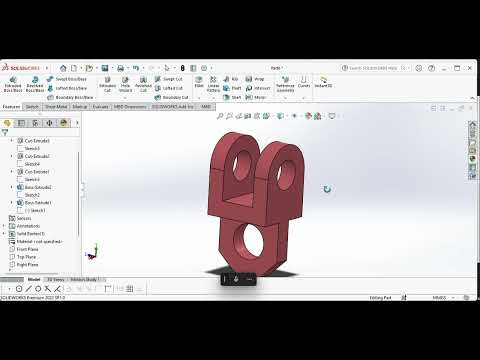
The fundamental building block of any project in this software is the SolidWorks Part. Unlike complex assemblies or technical drawings, a part is a single 3D object created through a series of features. To create a successful SolidWorks Part, beginners typically follow a standard three-step workflow:
- Choose a Plane: You must select the Front, Top, or Right plane to begin your work.
- Sketching: Use geometric tools like lines, circles, and rectangles to draw a 2D profile.
- Applying Features: Use the "Extruded Boss/Base" tool to give your 2D sketch volume, transforming it into a three-dimensional object.
The Importance of Engineering Drawing
One of the unique aspects of learning from Francis is the heavy emphasis on engineering drawing principles. CAD is more than just digital art; it is a language used to communicate technical requirements. By learning how to properly dimension and constrain your sketches, you ensure that your SolidWorks Part is accurate and ready for the production line.
Final Tips for Beginners
Don't be afraid to make mistakes! CAD is a skill that improves with repetition and patience. Start with simple shapes—like a basic cube or a cylinder—before moving on to more complex geometries. By mastering the creation of a single SolidWorks Part, you build the foundation necessary to eventually design entire machines and innovative products.
Ready to start your journey? Grab your mouse, open the software, and let's get designing!


