
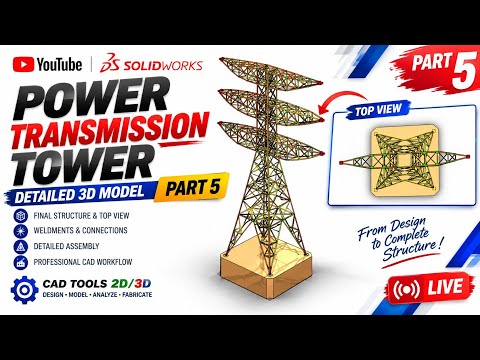
Designing large-scale structures in 3D CAD requires a mix of technical precision and efficient workflow management. When working on complex engineering projects, mastering a SolidWorks assembly is essential for ensuring that every structural member, plate, and fastener fits seamlessly long before reaching the fabrication floor.
In this final installment of our structural tower tutorial series, we take a close look at bringing all individual components together, adding fine details, and evaluating top-view geometry for optimal structural integrity.
Bringing It All Together: Final Assembly Steps
The final phase of building a structural tower model involves linking sub-assemblies and individual structural members into a cohesive master file. When putting the finishing touches on a massive SolidWorks assembly, applying accurate mates—such as concentric, coincident, and distance mates—is crucial to prevent alignment errors.
Key steps during this final integration include: - Verifying Mating Conditions: Ensure all structural steel components, gusset plates, and cross-braces are fully defined without over-constraining the model. - Clearance and Interference Checks: Run automated interference detection tools to discover overlapping geometry or improper tolerances early in the design phase.
Precision Detailing and Top-View Inspection
Once the primary framework is secured, the focus shifts toward detailing and orientation analysis. Top-view evaluation is particularly important in tower design as it reveals the symmetry, load distribution, and spatial layout of cross-bracing systems.
Detailed modeling at this stage includes placing structural hardware, setting up weldments, and refining connection joints. Reviewing the top-view perspective allows designers to confirm that access platforms, bracing supports, and connection points maintain proper clearance and symmetry.
Best Practices for Structural Modeling
To ensure smooth performance and eliminate lag when managing detailed 3D models, keep these best practices in mind: 1. Use Sub-Assemblies: Group recurring structural sections into sub-assemblies to simplify the main feature tree. 2. Leverage Large Assembly Mode: Open complex structures using Lightweight or Large Assembly Mode to optimize system performance. 3. Maintain a Clean Feature Tree: Label components clearly to make future revisions effortless for your entire design team.
By applying these techniques, you can streamline your next SolidWorks assembly project, reduce design cycle times, and produce highly accurate CAD models ready for production. Implement these steps today to build stronger, more precise structural designs!


