
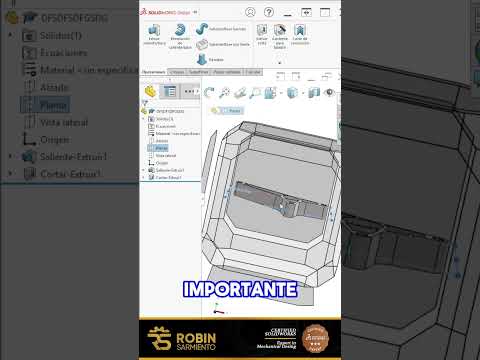
In the fast-paced world of engineering and product development, time is your most valuable resource. If you find yourself spending hours meticulously crafting every single detail of a symmetrical part, you might be working harder than necessary. One of the most effective ways to streamline your workflow and improve accuracy in SolidWorks 3D design is to leverage the power of symmetry.
The Philosophy of "Model Once, Reflect Twice"
Before you place your first sketch relation, take a moment to analyze the geometry of your part. Is it symmetrical across a plane or an axis? If the left side is a mirror image of the right, there is absolutely no reason to build both sides from scratch. By focusing your creative energy on just one-half (or even one-quarter) of the component, you effectively cut your modeling time in half. This approach is not just about speed; it’s about maintaining a clean, professional feature tree that is easy for others to navigate.
Essential Tools for Symmetrical Efficiency
SolidWorks provides a robust suite of tools designed to handle repetition so you don’t have to. The "Mirror" tool is perhaps the most vital feature for any designer. By establishing a central reference plane, you can instantly reflect complex features, bodies, or even entire assemblies to the opposite side.
This technique is a cornerstone of professional SolidWorks 3D design. Furthermore, if your part features circular symmetry—like a wheel or a gear—the "Circular Pattern" tool allows you to propagate a single feature around a central axis with perfect mathematical precision. Using these automated features ensures that your model remains perfectly balanced, which is nearly impossible to achieve through manual sketching.
Why Symmetry Matters for File Maintenance
Beyond the initial build, designing with symmetry makes your models significantly easier to update. In a standard design iteration, you might need to change a hole diameter or adjust the thickness of a rib. If you modeled both sides manually, you would have to perform the update twice, doubling the chance of a human error.
When you use mirror and pattern features, a single change to the "seed" feature automatically propagates across the entire model. This ensures consistency and significantly reduces the risk of design flaws during the manufacturing stage. Mastering these shortcuts will not only make you faster but will also elevate the overall quality and reliability of your SolidWorks 3D design projects. Stop modeling twice and start designing smarter.


