
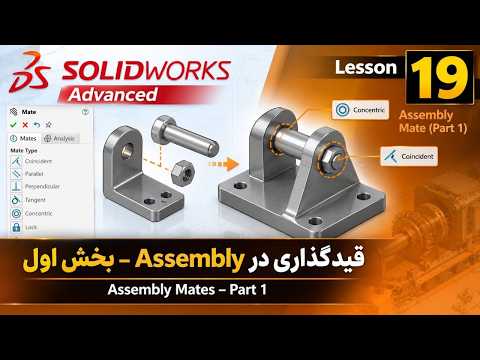
In the world of 3D CAD design, creating individual parts is only the beginning. The true power of engineering software is realized when those components come together to form a functional machine. This is where the SolidWorks Assembly environment becomes the most critical part of your design workflow. In Lesson 19 of our advanced series, we dive deep into the essential techniques required to master component mating and assembly organization.
The Power of Mates in Assembly Design
Mating is the process of creating geometric relationships between parts, such as coincidence, parallelism, or tangency. Without proper constraints, a model is simply a collection of floating objects. By utilizing the advanced tools within a SolidWorks Assembly, designers can simulate real-world mechanical movements, ensuring that every bolt, gear, and housing fits perfectly before a single part is ever manufactured.
In this first part of our advanced mating series, we move beyond basic constraints. We explore how to strategically choose your primary components and establish a "Fixed" base, which serves as the foundation for the rest of your build. Understanding the hierarchy of your feature manager tree is essential for maintaining a clean and editable design.
Optimizing Your Workflow
Efficiency in a SolidWorks Assembly is not just about connecting parts; it is about doing so in a way that minimizes rebuild time and prevents "over-defined" errors. As projects grow in complexity, the way you apply mates can significantly impact software performance. We cover best practices for selecting faces, edges, and planes to ensure your assembly remains robust even when individual parts are modified.
What’s Next?
Mastering these initial mating techniques sets the stage for more complex movements, such as mechanical mates and limit constraints. By the end of this lesson, you will have a much clearer understanding of how to transform static 3D parts into a dynamic, interconnected system. Stay tuned for Part 2, where we will explore even more sophisticated assembly tools to take your engineering skills to the next level.


