
Unlock the Power of Professional 3D Design
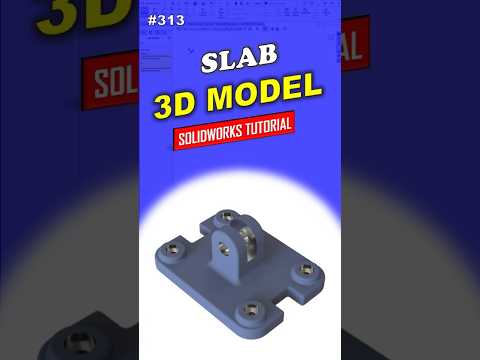
In the world of computer-aided design (CAD), precision and efficiency are the keys to success. Whether you are an aspiring engineer or a hobbyist looking to sharpen your skills, learning how to navigate professional software is a vital step. One of the most effective ways to learn is by creating real-world mechanical components, such as the 313 Slab. This tutorial focuses on a structured, step-by-step approach to help you master the fundamentals of SolidWorks.
Starting with a Solid Foundation
Every great 3D model begins with an accurate 2D sketch. When designing the 313 Slab, the first step involves selecting the correct plane—usually the Top or Front plane—and defining the basic geometry. For beginners, it is crucial to understand the concept of "Fully Defined" sketches. By using smart dimensions and geometric relations (such as horizontal, vertical, or coincident), you ensure that your model remains stable and editable as your design grows more complex.
From 2D Sketch to 3D Reality
Once your sketch is perfectly constrained, the real magic happens in the Features tab. By using the Extruded Boss/Base tool, you can transform your flat drawing into a tangible 3D object. During this stage, SolidWorks allows you to specify the exact thickness of the slab, ensuring it meets the required mechanical specifications. This transition from 2D to 3D is a foundational skill that serves as the backbone for almost every project in the industry.
Refining the Details with Professional Techniques
A professional-grade model is more than just a simple extrusion. To truly elevate your design, you must focus on the finer details. This includes adding fillets to sharp edges to improve aesthetics and structural integrity, or using the Hole Wizard to place precise mounting points. Following a professional workflow means thinking about how the part will be manufactured. By keeping your Feature Manager Design Tree organized, you make it easy for others (or your future self) to go back and make adjustments without breaking the model.
Conclusion: Practice Makes Perfect
Creating a 313 Slab might seem like a simple task, but it encompasses the core principles used in complex industrial machinery. By consistently practicing these workflows in SolidWorks, you develop the "design intent" necessary to tackle any engineering challenge. Remember, every expert was once a beginner—stay curious, keep modeling, and watch your technical skills reach new heights.


