
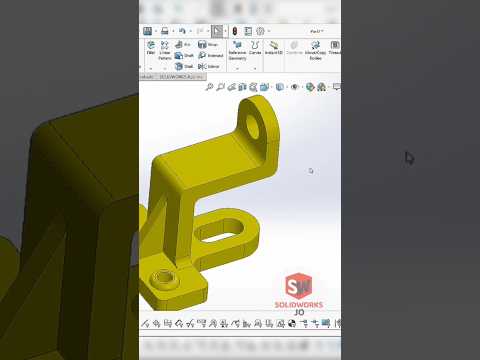
Whether you are a seasoned engineer or a student just starting your journey in the world of computer-aided design, there is a unique thrill in facing a complex geometry and asking yourself: "How exactly would I build this?" Modeling challenges are more than just a way to pass the time; they are the ultimate test of your problem-solving skills and your proficiency in industry-leading software like SolidWorks.
The Value of CAD Challenges
Many designers fall into the habit of creating simple, standard parts. However, the real power of SolidWorks lies in its ability to handle intricate surfaces, complex parametric relationships, and advanced feature trees. When you encounter a "Can you model this?" challenge, it forces you to think outside the box. It’s not just about reaching the final shape; it’s about understanding design intent and finding the most efficient, editable path to get there.
Mastering Your Workflow
To excel at high-level modeling, you need to master the balance between sketch constraints and feature selection. Are you using a Loft when a Sweep would be more stable? Is your sketch fully defined, or will it break the moment a dimension is changed? Engaging with difficult designs helps you refine these technical decisions. A clean feature tree is the hallmark of a professional, and these challenges are the perfect playground to practice your "modeling hygiene."
Why Continuous Learning Matters
The field of mechanical engineering and product design is constantly evolving. By pushing the limits of what you can create in SolidWorks, you ensure that your skills remain sharp and competitive. These exercises prepare you for real-world scenarios where a client might provide a vague concept that requires a high degree of technical precision to manufacture.
Are you ready to put your skills to the test? The next time you see a complex shape, don't scroll past it. Open up your workstation, start a new sketch, and see if you have what it takes to master the geometry. The path to becoming a CAD expert is paved with difficult models and the persistence to solve them.


