
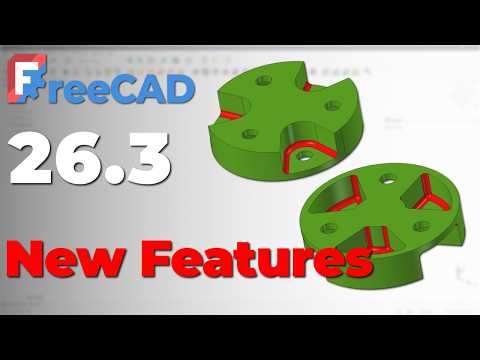
Open-source 3D modeling has taken a massive leap forward with the release of the latest FreeCAD development version, 26.3. Whether you are a hobbyist, maker, or professional mechanical designer, testing new software builds against complex design challenges is one of the best ways to evaluate performance, stability, and workflow efficiency.
In this practical deep dive, we take on the famous SolidWorks Mania Challenge from 2017 to see how seamlessly FreeCAD 26.3 handles high-precision geometry and parametric constraints.
Recreating a Benchmark Design
Industry modeling benchmarks offer a fantastic platform for measuring software capabilities. Recreating a classic SW model forces designers to utilize advanced sketching techniques, multi-axis sweeps, complex fillets, and precision boolean operations.
While modern CAD packages often take different approaches to feature trees and sketcher solvers, FreeCAD 26.3 proves fully capable of matching commercial-grade output. Rebuilding an intricate SW model step-by-step highlights just how far open-source parametric modeling has come over recent years.
Key Upgrades in FreeCAD 26.3
What makes testing the new development build so exciting are the targeted enhancements integrated into FreeCAD 26.3. Some of the standout improvements include:
- Improved Sketcher Stability: Faster solver response times when managing heavily constrained 2D profiles.
- Refined User Interface: Smoother navigation and cleaner toolbars for an intuitive design process.
- Enhanced Part Design Workbench: Reduced topological naming issues and more robust feature generation.
These upgrades dramatically reduce workflow friction when translating 2D parametric sketches into fully realized 3D objects, allowing you to build complex parts without encountering constant tree errors.
Final Thoughts for CAD Enthusiasts
Attempting to replicate a popular SW model in FreeCAD is more than just an exercise in software comparison—it is a practical way to sharpen your modeling problem-solving skills. FreeCAD 26.3 demonstrates that open-source parametric software is rapidly closing the gap with proprietary industry standards.
If you haven't explored the latest development build yet, now is the perfect time to download FreeCAD 26.3, load up a challenging design prompt, and test your 3D modeling skills today!


