
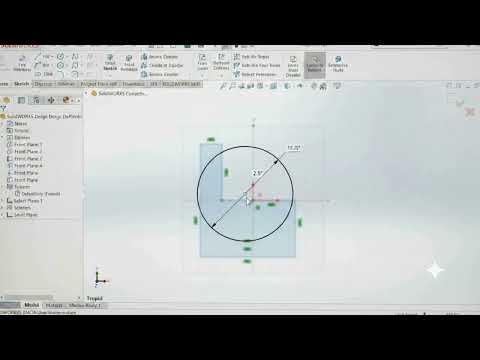
Every great 3D model starts with a simple two-dimensional idea. In the world of Computer-Aided Design (CAD), understanding how to create precise 2D geometry is the crucial first step toward building complex physical parts. If you are just beginning your CAD journey, mastering SolidWorks sketching tools will set a strong foundation for all your future engineering and product design projects.
What is a Sketch in 3D Modeling?
At its core, a sketch is a collection of 2D geometry—such as lines, circles, arcs, and rectangles—drawn on a designated plane or flat surface. Think of a sketch as the architectural blueprint for your 3D object. Before you can extrude a solid block, cut a hole, or revolve a feature into a complex shape, you must first define its boundaries in a 2D environment.
In SolidWorks, sketching is about more than just drawing shapes; it is about establishing parametric intent. By applying smart dimensions and geometric relations (such as perpendicularity, parallelism, or concentricity), you ensure that your design behaves predictably whenever updates or modifications are made later in the development process.
Essential Sketching Tools Every Beginner Should Know
To get started efficiently, you only need to familiarize yourself with a few fundamental sketch entities and tools available in the main toolbar:
- Line & Rectangle Tools: These form the primary structural boundaries and outer profiles of your design.
- Circle & Arc Tools: Essential for adding cylindrical shapes, rounded corners, holes, and smooth transitions.
- Smart Dimension: This tool allows you to assign exact numerical lengths, angles, and radii to your shapes effortlessly.
- Trim Entities: Helps you clean up overlapping lines and adjust geometry without needing to redraw elements from scratch.
Why You Must Master 2D Sketching First
Skipping the fundamentals of sketching often leads to unstable models and rebuild errors down the road. By taking the time to learn how to create clean, fully defined 2D sketches early on, you build a solid parametric tree that makes future modifications quick and painless.
Whether you are designing simple mechanical components or intricate modern products, learning how to properly utilize SolidWorks sketch tools is the single most important step in becoming a proficient designer. Start practicing your basic shapes today to unlock the full potential of 3D design!


