
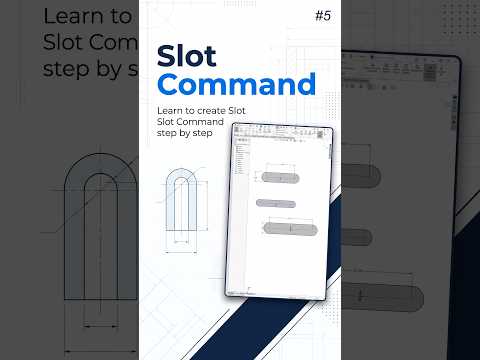
When diving into the world of 3D computer-aided design (CAD), efficiency is just as important as accuracy. For many beginners, SolidWorks can feel overwhelming due to its vast array of tools and features. However, mastering specific commands like the Slot tool can significantly streamline your workflow, allowing you to create complex geometries with just a few clicks.
Why the Slot Command is a Game Changer
In traditional sketching, creating a slot usually involves drawing two parallel lines and two separate arcs, then applying multiple tangent relations to keep everything aligned. This manual process is not only time-consuming but also prone to errors. The Slot command in SolidWorks automates this entire process. By using this dedicated tool, the software automatically maintains tangency and symmetry, ensuring your sketch remains robust and easy to modify later.
Understanding the 5 Types of Slot Commands
To achieve a professional-grade model, you need to know which tool fits the specific design scenario. There are five primary ways to utilize this feature:
- Straight Slot: The most basic version, defined by two end points.
- Centerpoint Straight Slot: Ideal when you need your slot to be symmetrical about a specific origin point.
- 3-Point Arc Slot: Perfect for creating curved slots along a specific path by defining three points on an arc.
- Centerpoint Arc Slot: Used when you know the center of the arc and the radius required for the path.
- Slot from Existing Geometry: This allows you to convert existing lines or arcs into slot paths.
A Professional Approach to Sketching
Using these tools correctly is the hallmark of a professional designer. When you start your model, always look for symmetry. Using the Centerpoint Straight Slot, for example, allows you to anchor your design to the origin, which makes the assembly process much smoother in the later stages of your project.
Improving Your Workflow
Integrating the slot command into your daily routine within SolidWorks allows users to focus on the creative aspects of engineering rather than the repetitive tasks of geometric constraints. By reducing the number of clicks required to build a feature, you minimize the "clutter" in your sketch, making your files lighter and more professional.
Whether you are designing mechanical parts or architectural components, the Slot command is a fundamental skill that every beginner should master. Practice each of the five methods to see how they impact your design speed and precision.


