
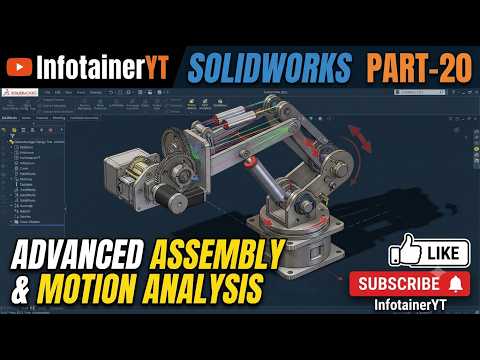
Modern mechanical engineering demands more than just creating individual 3D parts; it requires understanding how those parts interact within complex, dynamic systems. Whether you are designing industrial machinery or consumer electronics, mastering advanced assembly techniques and kinematic simulations is essential. Utilizing the powerful features of SolidWorks allows designers to move beyond static models and create realistic, functional digital prototypes.
Streamlining Complex Assemblies
As projects grow in scale, managing multi-part assemblies efficiently becomes a crucial skill. Advanced assembly techniques focus on organizing sub-assemblies, applying mechanical mates, and detecting potential structural flaws early in the design process.
By leveraging advanced tools within SolidWorks, engineers can perform in-depth interference checks and clearance evaluations. This ensures every component fits precisely as intended, significantly reducing costly design iterations and physical prototyping delays. Additionally, learning to properly structure large assemblies keeps your software running smoothly without performance lag.
Real-World Simulation with Motion Analysis
Once a dynamic assembly is properly mated, the next step is verifying its real-world physical performance. Motion analysis enables you to evaluate the kinematic behavior of your mechanism under realistic operating conditions.
Instead of relying solely on theoretical calculations, motion simulation calculates forces, velocities, accelerations, and power requirements directly from your 3D geometry. Key benefits include: - Accurate Sizing: Calculate required motor power, torque, and spring rates. - Contact Physics: Analyze contact forces and friction between moving components. - Dynamic Collision Detection: Visualize mechanical motion in real time to prevent interference during operation.
Elevate Your Mechanical Design Skills
Integrating motion simulation early into your design workflow bridges the gap between conceptual modeling and practical engineering. Developing a deep understanding of these advanced tools in SolidWorks empowers you to deliver higher-quality designs, optimize mechanical efficiency, and build reliable products with complete confidence. Take your engineering capabilities to the next level by implementing these advanced assembly and motion analysis workflows today.


