
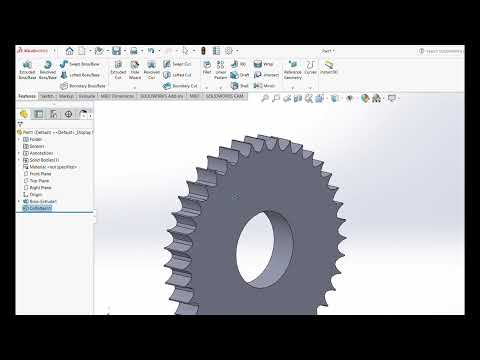
Gears are the fundamental building blocks of mechanical engineering, serving as the primary means of motion and power transmission in countless machines. Whether you are a student, a hobbyist, or a professional engineer, mastering the art of gear design is a crucial skill. In this guide, we will explore the essential steps to creating a high-quality gear wheel using the industry-leading features of SolidWorks.
Understanding Gear Geometry
Before diving into the software, it is important to understand that a gear is more than just a circle with teeth. Precision is key. A functional gear requires specific parameters such as the module, pitch circle diameter, and pressure angle. The beauty of SolidWorks lies in its parametric design capabilities, which allow you to define these mathematical relationships directly within your sketches, ensuring that your gear will function perfectly in a real-world assembly.
The Modeling Workflow: From Sketch to 3D
The process begins with a detailed 2D sketch on a chosen plane. You start by drawing the base circle and the tooth profile. One of the most efficient ways to model gear teeth is to create a single tooth using an involute curve or a simplified arc, then use the "Circular Pattern" tool to replicate that tooth around the center axis.
Once the 2D geometry is finalized, the "Extruded Boss/Base" feature is used to give the gear its thickness. For more complex designs, you might incorporate a hub or a keyway to allow the gear to be mounted onto a shaft. By following a structured workflow, you ensure that the model remains editable and organized.
Refining the Design with Detailed Features
To transition from a basic model to a professional-grade part, you must add finishing touches. This includes applying fillets to the roots of the teeth to reduce stress concentrations and adding chamfers to the edges for easier assembly. Utilizing SolidWorks allows for real-time visualization of these changes, helping you identify potential interference issues before the part ever goes to manufacturing.
Conclusion
Designing a gear wheel is an excellent way to sharpen your CAD skills. By understanding the relationship between geometry and 3D features, you can create robust mechanical components with ease. Practice these techniques consistently, and you will soon find yourself handling even more complex mechanical assemblies with confidence.


