
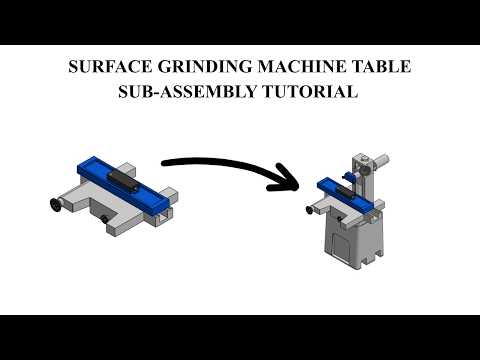
Precision engineering requires accurate 3D modeling and seamless component integration. In industrial machinery design, the surface grinding machine plays a critical role in achieving micro-inch surface finishes on metallic components. At the heart of this equipment lies the table sub-assembly—the core mechanism responsible for smooth, reliable material positioning during grinding operations.
Designing the Table Sub-Assembly
Creating a robust mechanical assembly begins with structured 3D modeling. Utilizing SolidWorks, engineers and CAD designers can accurately craft individual parts—such as the main table bed, longitudinal slide mechanisms, drive brackets, and precision guide rails—before integrating them into a functional sub-assembly.
When assembling the table structure, establishing proper mates and mechanical constraints is essential. By leveraging advanced mates within SolidWorks, you can effectively simulate real-world mechanical motion, check for clearance issues, and eliminate component interference long before physical manufacturing begins.
Key Benefits of Sub-Assembly Workflows
Modular mechanical design breaks complex machinery down into manageable sub-assemblies, significantly boosting design efficiency. Focusing on the table sub-assembly offers several key advantages:
- Enhanced Motion Accuracy: Ensures smooth sliding action along guide ways by verifying axial alignment.
- Streamlined Modifications: Updating a single component part automatically updates the sub-assembly across all reference files.
- Simplified Main Assembly: Facilitates effortless integration when combining the table unit with the machine frame and grinding head wheel.
Conclusion
Mastering sub-assembly modeling is a fundamental skill for anyone working on precision machinery and industrial tooling. Whether you are a student learning 3D CAD or a seasoned mechanical designer, building a surface grinding machine table assembly provides invaluable practical insights into constraint management, functional mechanical relationships, and optimized digital prototyping workflows.


