
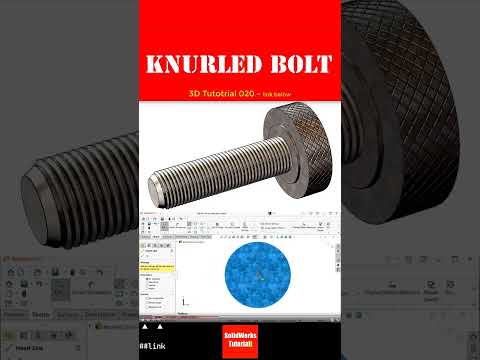
Designing mechanical fasteners with intricate textures requires precision, especially when preparing components for industrial manufacturing or custom tooling. In this tutorial overview, we focus on modeling a textured fastener—a key practice that demonstrates essential skills required for advanced SolidWorks 3D mold design.
Why Master Knurled Fasteners in SolidWorks?
Knurling is a manufacturing process that creates a textured pattern on a cylindrical surface, allowing for better manual grip or mechanical bonding. When creating CAD models for tooling, press-fits, or plastic injection molds, understanding how to generate accurate knurling and threading is critical. Poorly designed geometry can lead to manufacturing defects, incorrect toolpath generation in CAM software, or improper mold release during production.
Key Steps to Model a Knurled Screw
To build a professional 3D knurled bolt model in SolidWorks, follow this structured CAD approach:
- Create the Base Body: Begin by sketching the profile of the shank and bolt head, then apply a Revolve Boss/Base feature to establish the main cylinder.
- Generate the Thread Geometry: Define a helix curve along the shank and use a Swept Cut profile to craft clean, accurate mechanical threads.
- Apply the Knurled Texture: Sketch a small triangular profile on the perimeter of the bolt head, create an angled or helical sweep cut, and utilize the Circular Pattern tool to duplicate the cut evenly across the circumference.
Enhancing Your SolidWorks 3D Mold Design Skills
Detailed mechanical modeling directly impacts downstream engineering processes. By mastering complex surfaces and repeating patterns on hardware components, you gain the technical precision necessary for preparing complex textures and inserts for modern SolidWorks 3D mold design projects. Incorporating proper clearances, draft angles, and optimized feature trees ensures your digital models seamlessly translate into physical manufacturing.
Whether you are working on consumer product design, generating precise engineering drawings, or setting up CAM operations, sharpening your skills with practical hardware components will elevate your workflow and help you excel in SolidWorks 3D mold design.


