
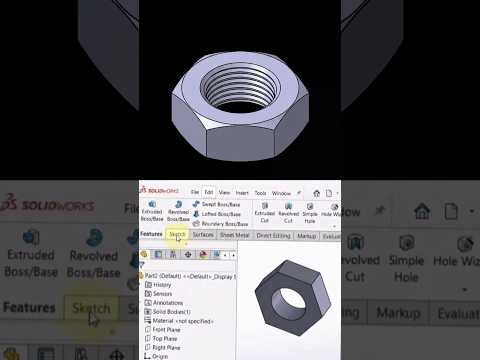
Transitioning from a CAD beginner to a seasoned professional requires more than just knowing basic modeling commands—it demands a deep understanding of mechanics, design optimization, and advanced workflow techniques. Whether you are just starting out with SolidWorks 2D CAD drafting or looking to push your skills into complex 3D mechanical simulations, mastering the right workflow is key to creating professional-grade engineering designs.
The Foundation: Starting Strong in 2D Layouts
Before jumping straight into elaborate 3D assemblies, top design engineers focus heavily on the fundamentals. Every high-level mechanical design begins with a clean, fully constrained layout sketch. By leveraging SolidWorks 2D CAD tools effectively, you can plan dynamic linkages, establish proper geometric relations, and define core motion paths before generating complex solid geometry. A strong 2D layout prevents costly errors down the line when you move to assembly modeling and dynamic mechanism studies.
Unlocking Advanced Motion Studies and Kinematics
What truly sets a CAD beginner apart from a pro? Professionals do not just build static models—they test real-world behavior through mechanism simulations and motion analysis. Once your 3D parts are generated from precise sketches, SolidWorks allows you to animate and analyze full mechanical systems: - Simulate Linear and Rotational Motion: Test how components interact dynamically within a complex mechanism. - Analyze Kinematic Constraints: Ensure moving parts operate smoothly without interference or collisions. - Optimize Mechanical Efficiency: Refine your geometry early in the design phase to achieve optimal performance.
By performing detailed motion studies, you can clearly demonstrate how mechanical kinematics function under working conditions, making your designs presentation-ready for clients and team members.
Pro Tips for Faster Workflow Optimization
If you want to elevate your CAD skills and build pro-level mechanical animations, keep these best practices in mind: 1. Keep Sketches Simple: Use sketch blocks and smart dimensioning in layout sketches rather than overcomplicating initial features. 2. Utilize Mates Strategically: Apply mechanical mates (such as gear, cam, linear coupler, or slot mates) to reflect physical real-world constraints accurately. 3. Leverage Simulation Tools: Run motion analysis early to catch design flaws before finalizing your 3D models.
Mastering SolidWorks 2D CAD fundamentals provides the ultimate stepping stone toward advanced 3D motion analysis and high-level product design. Start applying these tips today to transform your beginner sketches into pro-level animated simulations!


