
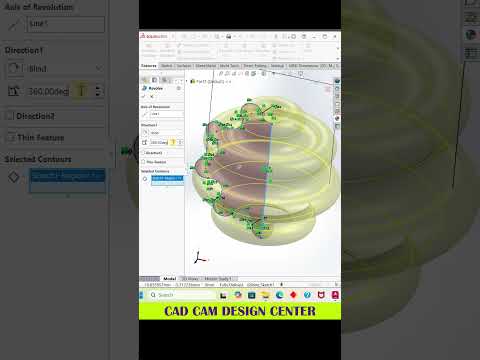
Creating intricate and sophisticated CAD designs can often feel daunting, especially when dealing with non-standard curves, organic surfaces, or multi-body parts. However, mastering SolidWorks 3D modeling allows engineers, designers, and hobbyists to transform even the most complicated 3D shapes into precise, production-ready digital models.
Whether you are working on complex industrial components or detailed artistic concepts, understanding the right approach to complex geometry is the key to elevating your parametric design workflow.
Breaking Down Complex 3D Shapes
When faced with a complicated 3D design, the secret lies in deconstructing the overall shape into simpler, manageable elements. Instead of attempting to create the entire object in a single feature, start by building a strong foundation with structured sketches.
- Establish Reference Geometry: Utilize custom planes, axes, and reference points to build the skeletal framework of your model.
- Utilize 3D Sketching: Leverage splines, 3D sketches, and guide curves to define smooth, continuous transitions across complex surfaces.
- Layer Features Systematically: Construct your base shape using primary extrusions, lofts, or sweeps before adding secondary detail features like fillets, shells, and chamfers.
Essential Techniques for Advanced Modeling
To achieve clean and reliable results in SolidWorks 3D modeling, smart feature tree management is crucial. Intricate shapes frequently require a hybrid workflow that combines both solid and surface modeling techniques.
- Surface Modeling: For organic or fluid shapes, surface features such as Lofted Surface and Boundary Surface offer far greater control over curvature continuity than standard solid features.
- Feature Tree Organization: Keep your FeatureManager design tree organized by naming key sketches and grouping related features. This makes troubleshooting complex geometry significantly easier.
- Symmetry and Patterning: Whenever possible, model only a section of symmetrical shapes and use the Mirror or Circular Pattern tools to complete the design, saving both time and computational effort.
Take Your CAD Skills to the Next Level
Conquering complex 3D models requires patience, strategic planning, and consistent practice. By breaking down intricate geometries into logical steps and utilizing the full feature set of SolidWorks 3D modeling, you can confidently tackle even the most challenging modeling projects. Keep experimenting with new tools, refine your modeling habits, and watch your CAD efficiency soar!


